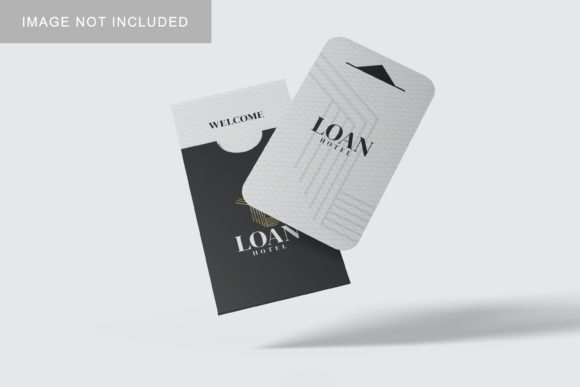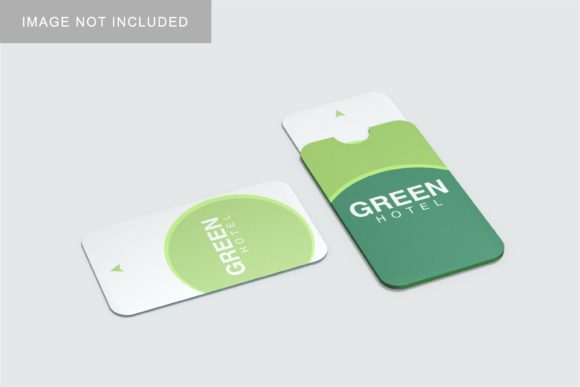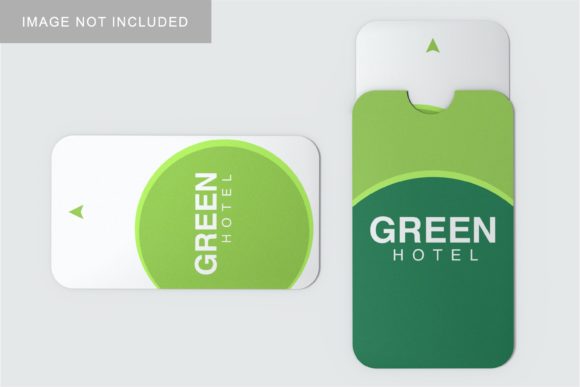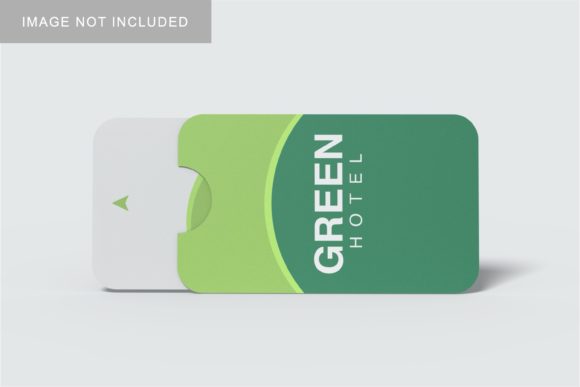
Card Holder Mockup V3
In the digital age, how you present a design is often just as critical as the design itself. For graphic designers, branding specialists, and small business owners, the gap between a flat vector file and a client’s understanding can be vast. This is where realistic visualization tools become indispensable. Card Holder Mockup V3 addresses this specific challenge by offering a professional, realistic 3D display solution that allows creators to showcase their work with clarity and impact.
This tool is not merely a static image; it is a functional PSD Photoshop file designed to streamline your workflow. By leveraging smart-object features, you can replace placeholder designs with your own artwork in seconds. Whether you are preparing a portfolio, pitching to a potential client, or finalizing product packaging for a print run, having a high-fidelity representation of your card holder design helps bridge the communication gap between creative intent and perceived reality.
The Importance of Realistic Presentation
When presenting physical products like business cards, credit cards, or membership passes, clients and stakeholders need to visualize the final outcome. A flat JPEG of a logo on a white background rarely conveys texture, scale, or material quality. Card Holder Mockup V3 solves this by providing a three-dimensional perspective that mimics real-world conditions. This realism helps reduce ambiguity, allowing decision-makers to see exactly how their brand identity will look when printed and held.
For entrepreneurs and freelancers, first impressions matter. A polished presentation signals professionalism and attention to detail. By using a mockup that offers a true-to-life 3D display, you demonstrate that you have considered every aspect of the product, from edge alignment to surface finish. This level of detail can instill confidence in your clients, making them more likely to approve designs quickly and move forward with production.
Simplicity Through Smart-Object Technology
One of the most significant barriers to creating high-quality mockups is technical complexity. Many designers spend hours manually warping images, adjusting shadows, and blending layers to achieve a natural look. Card Holder Mockup V3 eliminates this friction through its integration with Adobe Photoshop’s smart-object features. This functionality allows for non-destructive editing, meaning you can swap out designs without altering the underlying structure of the mockup.
The process is straightforward: open the PSD file, double-click the smart-object layer, paste or place your new design, save the changes, and the mockup updates instantly. This efficiency is particularly valuable for professionals who manage multiple projects or need to create variations for different colorways or materials. What might traditionally take twenty minutes of manual manipulation can now be accomplished in under ten seconds. This time savings translates directly into increased productivity, allowing you to focus more on creative strategy and less on repetitive technical tasks.
Technical Specifications and Flexibility
To ensure your presentations look crisp on any screen or print medium, Card Holder Mockup V3 is built with high-resolution standards in mind. The file dimensions are set at 3000x2000 pixels with a resolution of 300 dpi. This specification ensures that whether you are displaying the mockup on a large monitor during a video call or printing it for a physical proposal, the image remains sharp and detailed. Low-resolution assets often pixelate when scaled up, undermining the professional appearance you are trying to achieve.
Furthermore, the mockup includes a changeable background color feature. In many cases, the context in which a product is shown can influence perception. A stark white background may suggest cleanliness and minimalism, while a dark or textured background might convey luxury or sophistication. Being able to adjust the background allows you to tailor the visual narrative to match your brand’s aesthetic. This flexibility is crucial for marketers and bloggers who need to adapt content for various platforms, from social media feeds to email newsletters.
Who Benefits Most from This Tool?
While the utility of Card Holder Mockup V3 is broad, certain groups will find it particularly transformative. Graphic designers and branding agencies can use it to create compelling case studies that highlight the versatility of their work. By showing a single logo applied to different card holder styles or backgrounds, they can demonstrate value to prospective clients more effectively than with static images alone.
Small business owners and entrepreneurs also stand to gain significantly. When launching a new product line, clear visuals are essential for marketing campaigns and crowdfunding pages. A realistic mockup helps customers understand what they are buying, potentially reducing hesitation and increasing conversion rates. Similarly, educators and hobbyists involved in print design courses can use this resource to teach students about the importance of presentation and spatial awareness in design.
Freelancers and publishers benefit from the ease of use. Since the file comes with a PDF help guide, even those with limited experience in Photoshop can navigate the process successfully. This accessibility lowers the learning curve, ensuring that users can produce professional results without needing advanced technical skills. It empowers individuals to maintain a consistent standard of quality across all their deliverables.
Practical Considerations and Limitations
While Card Holder Mockup V3 offers numerous advantages, it is important to approach its usage with realistic expectations. The photos used in the preview are for illustration purposes only and are not included in the download. Users must supply their own artwork to populate the mockup. This means that the effectiveness of the final output depends largely on the quality and appropriateness of the design being inserted. A poorly crafted logo will not look better simply because it is placed in a high-end mockup.
Additionally, while the smart-object feature simplifies the replacement process, it requires access to Adobe Photoshop. If you do not have this software, alternative solutions may be necessary. It is also worth noting that the mockup represents a specific style of card holder. If your product has unique structural elements, such as unusual folding patterns or transparent windows, you may need to verify that the mockup accurately reflects those details. Comparing options and testing the fit of your specific design before committing to a final presentation is always a prudent step.
Integrating Mockups into Your Workflow
To maximize the value of Card Holder Mockup V3, consider integrating it into your standard operating procedures. Instead of treating it as an afterthought, use it early in the design phase to test how your concepts look in a three-dimensional space. This can reveal issues with contrast, scaling, or layout that might not be apparent in a flat view. By catching these problems early, you can refine your designs before sending them to print, saving both time and money.
Moreover, leverage the changeable background feature to create a series of images for different marketing channels. Use a neutral background for your website’s product page, a vibrant one for social media ads, and a sophisticated tone for investor decks. This consistency in quality, paired with contextual adaptation, strengthens your brand’s overall communication strategy. The ability to generate these variations quickly ensures that you can maintain a robust online presence without overextending your resources.
In conclusion, Card Holder Mockup V3 is a practical, efficient tool for anyone serious about presenting design work professionally. Its combination of realistic 3D display, user-friendly smart-object technology, and high-resolution output makes it a valuable asset for designers, marketers, and business owners alike. By adopting this tool, you can enhance your presentations, communicate your vision more clearly, and ultimately achieve better results in your creative endeavors.