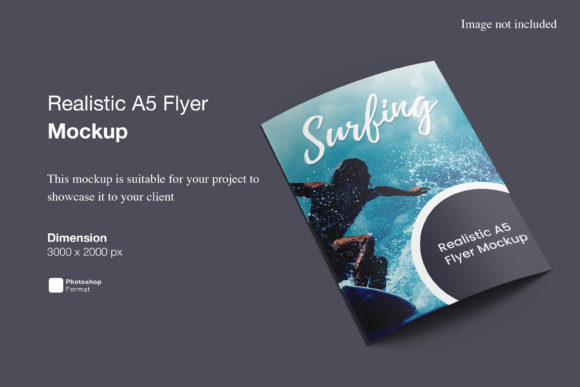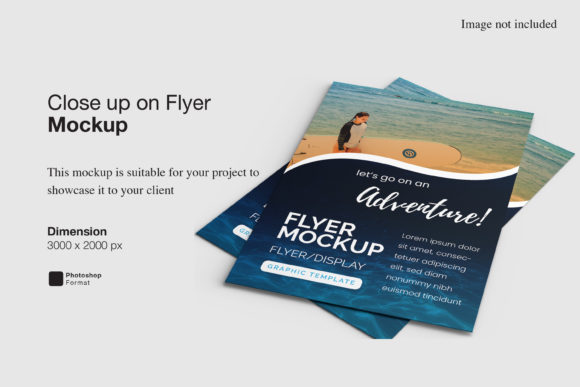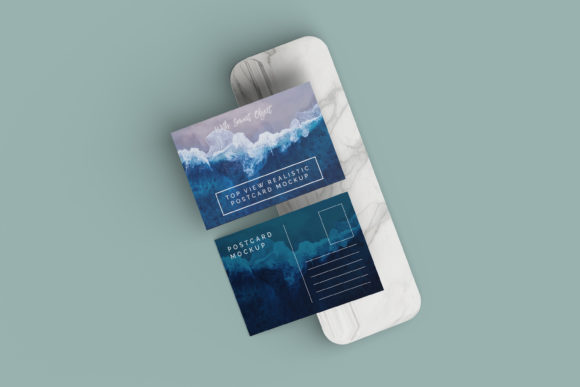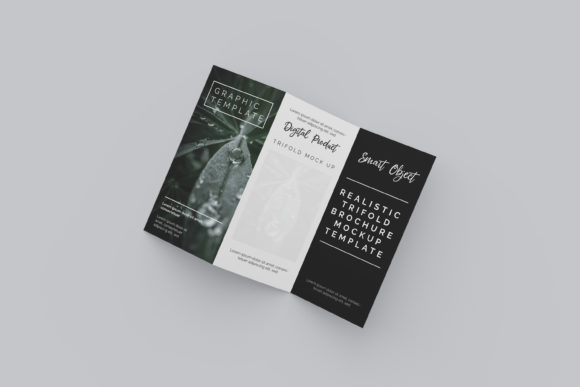
Realistic Top View Square Flyer Mockup
In the fast-paced world of digital marketing and graphic design, presentation is everything. You might have created a stunning flyer with perfect typography, vibrant colors, and compelling copy, but if it is presented as a flat image on a screen, it often fails to convey its true potential. This is where a Realistic Top View Square Flyer Mockup becomes an indispensable tool. It bridges the gap between abstract design files and tangible reality, allowing creators to showcase their work in a way that feels immediate, professional, and highly relatable.
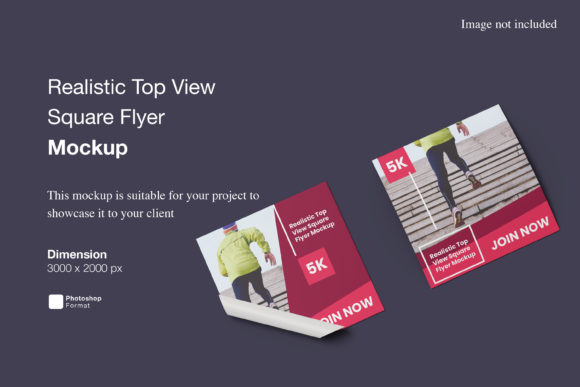
This specific mockup offers a top-down perspective of a square flyer, a format that has gained significant traction due to its versatility across social media platforms, particularly Instagram and Pinterest. By utilizing this PSD file, designers can move beyond simple screenshots and instead present their designs within a context that mimics real-world usage. The result is a polished, 3D-like display that captures attention and communicates quality before the viewer even reads the text on the flyer.
The Power of Realism in Design Presentation
Why does realism matter so much? When clients or stakeholders view a design, they need to visualize how it will perform in the physical or digital landscape. A flat JPEG of a layout lacks depth; it does not suggest texture, lighting, or placement. A realistic mockup solves this by adding environmental cues. It suggests that the flyer exists in a space—it could be lying on a desk, held in hands, or placed next to complementary items like coffee cups or notebooks.
The Realistic Top View Square Flyer Mockup leverages high-resolution imagery (3000x2000 px at 300 dpi) to ensure that every detail is crisp and clear. This resolution is critical because it allows for zooming in without pixelation, which is essential when presenting to discerning clients who may scrutinize font choices or color gradients. The top-view angle is particularly effective because it provides a clean, unobstructed look at the entire design while still offering enough shadow and perspective to create a sense of three-dimensionality.
Streamlining Your Workflow with Smart Objects
One of the most significant advantages of this asset is its technical efficiency. For busy freelancers, agency owners, and solo entrepreneurs, time is a scarce resource. Traditional methods of compositing designs into backgrounds involve complex layer masking and manual adjustments. In contrast, this mockup utilizes Adobe Photoshop’s smart-object features.
Smart objects simplify the process to a matter of seconds. Instead of manually aligning your design to fit the perspective of the flyer, you simply double-click the smart object layer, paste your own artwork, save the changes, and watch as the mockup automatically updates. This feature ensures that your design conforms perfectly to the folds, shadows, and angles of the flyer in the mockup. It eliminates the frustration of misalignment and reduces the risk of errors, allowing you to focus on the creative aspects of your project rather than the technical mechanics of presentation.
To assist users who may not be familiar with these tools, the package includes a PDF help guide. This resource provides step-by-step instructions, ensuring that both novice designers and seasoned professionals can utilize the template effectively without needing to consult external tutorials or spend hours troubleshooting.
Creative Applications and Use Cases
The square format is uniquely adaptable, making this mockup suitable for a wide array of industries and purposes. Here are several ways different professionals can leverage this tool:
- Social Media Marketers: Square flyers are ideal for Instagram posts and stories. Use the mockup to create carousel posts that show behind-the-scenes processes or to highlight portfolio pieces in a grid layout that looks cohesive and professional.
- Event Organizers: If you are promoting a workshop, webinar, or local meetup, use the mockup to showcase the event poster. Placing the flyer next to props like a calendar, a pen, or a laptop can subtly reinforce the theme of organization and planning.
- Small Business Owners: For restaurants, cafes, or retail shops, a square flyer might advertise a daily special or a new product line. Presenting this in a realistic setting helps customers imagine visiting the establishment, creating an emotional connection to the brand.
- Educators and Creators: Teachers designing worksheets or course materials can use this to preview how handouts will look. It helps in checking readability and visual hierarchy before printing or distributing digitally.
- Freelance Graphic Designers: When pitching services to potential clients, including mockups in your proposal demonstrates attention to detail. It shows that you understand not just design, but also presentation and branding.
Customization and Flexibility
A key feature of this mockup is the ability to change the background color. While the default setting might provide a neutral backdrop, altering the background allows you to tailor the mood of the presentation to match your brand identity. A warm beige background might suit a rustic bakery, while a cool gray could enhance a tech startup’s sleek aesthetic. This flexibility ensures that the mockup remains relevant regardless of your design’s color palette.
Furthermore, the separation of elements means you can isolate the flyer from the background if needed, or composite it into entirely new scenes. However, it is important to note that the photos used in the preview images are for illustration purposes only and are not included in the download. This encourages you to create your own unique compositions rather than relying on pre-made stock scenarios, fostering originality in your presentations.
Tips for Effective Presentation
To get the most out of the Realistic Top View Square Flyer Mockup, consider the following best practices:
- Maintain Consistency: Ensure that the lighting in your design matches the lighting in the mockup. If the mockup has soft, diffused light, avoid using harsh, high-contrast graphics in your flyer unless intentional.
- Focus on Hierarchy: Since the top view presents the entire design at once, make sure your call-to-action and main headline are immediately visible. Avoid cluttering the corners with small details that might get lost in the composition.
- Use Negative Space: Don’t feel pressured to fill every inch of the square. Strategic use of white space can make the design breathe and appear more sophisticated.
- Test Different Backgrounds: Experiment with changing the background color to see how it affects the perception of your flyer. Sometimes a subtle shift in tone can make a design pop significantly more.
Ultimately, the goal of using a realistic mockup is to elevate your work from a mere file to a finished product. It signals professionalism and care, qualities that resonate with audiences and clients alike. By integrating the Realistic Top View Square Flyer Mockup into your workflow, you are not just saving time; you are enhancing the perceived value of your creative output. Whether you are launching a new campaign, showcasing your portfolio, or simply organizing your thoughts visually, this tool provides a reliable, high-quality foundation for your ideas to shine.