Realistic A5 Flyer Mockup
In the competitive landscape of graphic design, presenting a final concept effectively is often as critical as the design itself. Clients and stakeholders rarely evaluate flat digital files in isolation; they require context to visualize how a piece will perform in the real world. This is where realistic mockups become an indispensable tool for designers. The Realistic A5 Flyer Mockup is a specialized digital asset designed to bridge the gap between abstract digital art and tangible physical products. It offers a professional 3D display environment that allows creators to showcase their work with photorealistic accuracy.
This evaluation explores the functionality, technical specifications, and practical applications of this specific mockup template. By understanding its features—such as smart-object integration and high-resolution output—designers can determine whether it aligns with their workflow requirements and project goals.
Understanding the Realistic A5 Flyer Mockup
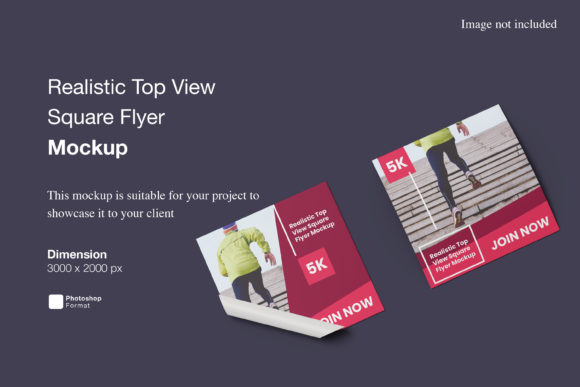
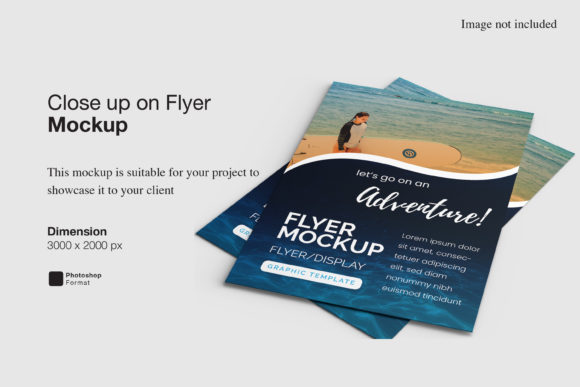
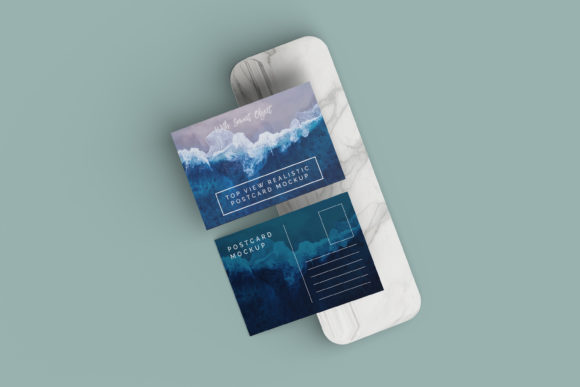
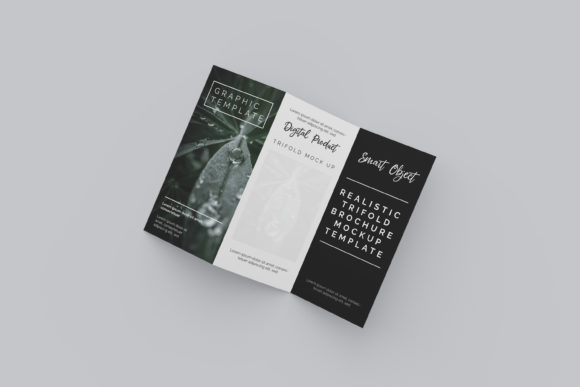
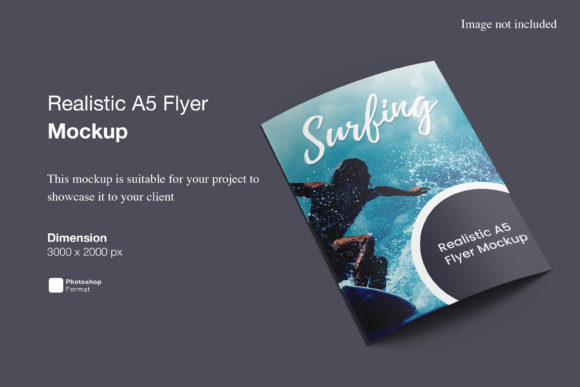
At its core, the Realistic A5 Flyer Mockup is a Photoshop (.PSD) file engineered to simulate a printed A5-sized flyer in a three-dimensional space. Unlike simple flat templates, this asset utilizes advanced layering and lighting effects to create depth, shadows, and texture. The primary purpose of such a tool is to provide a "real-world" preview of a design before it goes to print or is presented to a client.
The template is built on a foundation of Adobe Photoshop, leveraging the software’s robust editing capabilities. It is not merely a static image but an interactive file structure. This interactivity is crucial because it allows the designer to maintain full control over the presentation. The inclusion of a PDF help guide further ensures that users, regardless of their proficiency level, can navigate the file structure without confusion. This accessibility reduces the learning curve associated with complex digital assets.
Key Features and Technical Specifications
When evaluating a mockup for professional use, technical precision is paramount. The Realistic A5 Flyer Mockup distinguishes itself through several key technical attributes that cater to high-standard design workflows.
- Smart-Object Integration: The most significant feature of this mockup is its compatibility with Photoshop Smart-Objects. This technology allows designers to replace the default placeholder design with their own artwork in seconds. Instead of manually masking, warping, and blending layers—a process prone to error and time-consuming—users simply double-click the smart-object layer, paste their design, and save. The mockup automatically adjusts perspective, lighting, and texture to match the new content.
- High Resolution and Print Quality: The file is provided at a size of 3000x2000 pixels with a resolution of 300 DPI (dots per inch). This specification is critical for professionals who need to present their work in high-definition formats or print large-scale presentations. A 300 DPI resolution ensures that details remain sharp and crisp, preventing pixelation even when viewed closely or projected on large screens.
- Customizable Backgrounds: Versatility in presentation is enhanced by the ability to change the background color. This feature allows designers to isolate the flyer against neutral tones for a clean look or integrate it into colored environments to evoke specific moods. This flexibility supports various branding strategies and presentation styles.
- Format Compatibility: Being available in PSD format ensures broad compatibility with industry-standard design software. Additionally, the inclusion of a PDF guide provides clear instructions, reducing the friction often associated with downloading and setting up third-party design assets.
Benefits for Design Professionals
The adoption of the Realistic A5 Flyer Mockup offers distinct advantages for graphic designers, marketing agencies, and freelance creatives. The primary benefit is the enhancement of perceived value. When a client sees a design rendered realistically, they can better grasp the scale, finish, and overall aesthetic impact. This visualization capability can significantly increase conversion rates during the pitch phase, as clients are more likely to approve designs they can easily imagine in their hands.
Furthermore, the efficiency gained through Smart-Object usage cannot be overstated. In fast-paced agency environments, time is a scarce resource. The ability to swap designs within seconds allows designers to generate multiple variations of a single concept rapidly. This speed facilitates iterative feedback loops, enabling teams to explore different color palettes, layouts, or typography choices without restarting the entire presentation process.
Additionally, the mockup serves as a powerful educational tool. For junior designers or students, studying the lighting and shadow interactions in a realistic mockup provides insight into how light behaves on physical surfaces. This knowledge translates to better design decisions, such as understanding contrast ratios and visual hierarchy in print media.
Considerations and Potential Tradeoffs
While the Realistic A5 Flyer Mockup presents numerous benefits, potential users should consider certain limitations and tradeoffs. First, the reliance on Adobe Photoshop means that the asset is not accessible to users of other design platforms like Canva, Affinity Designer, or GIMP. If a team operates primarily on non-Adobe software, this mockup may require additional steps, such as exporting images from alternative tools and importing them into Photoshop, which adds complexity to the workflow.
Secondly, the quality of the final output is dependent on the source design. A realistic mockup cannot fix poor composition or low-quality graphics. If the input design lacks clarity or appropriate resolution, the mockup will simply render those flaws in high definition. Therefore, designers must ensure their base files meet professional standards before applying the mockup.
It is also important to note that stock photos used in previews are typically for illustration purposes only and are not included in the download. Users must manage their own expectations regarding the final aesthetic, understanding that they have full control over the background and surrounding elements. This autonomy is a benefit but also requires effort to curate a cohesive scene.
Situational Fit: When to Use This Mockup
The Realistic A5 Flyer Mockup is particularly well-suited for specific scenarios. It is an ideal choice for graphic designers preparing portfolio pieces that need to demonstrate versatility and attention to detail. Freelancers pitching to small businesses for print campaigns will find this tool invaluable for creating convincing proposals.
Marketing agencies working on comprehensive brand identity projects can use this mockup to show how flyers fit into a broader collateral suite. Similarly, event organizers designing promotional materials can use the mockup to visualize ticket stubs or informational handouts, aiding in stakeholder approval processes.
Conversely, if a designer’s primary focus is web-only design, a paper-based mockup may offer less utility. In such cases, browser or mobile device mockups might be more relevant. Similarly, if a user requires rapid prototyping without access to Photoshop, vector-based alternatives or online mockup generators might be more practical solutions.
Conclusion
The Realistic A5 Flyer Mockup stands out as a functional, high-quality resource for professionals seeking to elevate their design presentations. Its combination of Smart-Object ease-of-use, high-resolution output, and customizable features makes it a strong candidate for enhancing client communications and portfolio showcases. While it requires Adobe Photoshop and a solid understanding of design principles to yield the best results, its efficiency gains and visual impact justify its place in a modern designer’s toolkit. For those aiming to present their A5 flyer concepts with professionalism and realism, this mockup offers a reliable and effective solution.