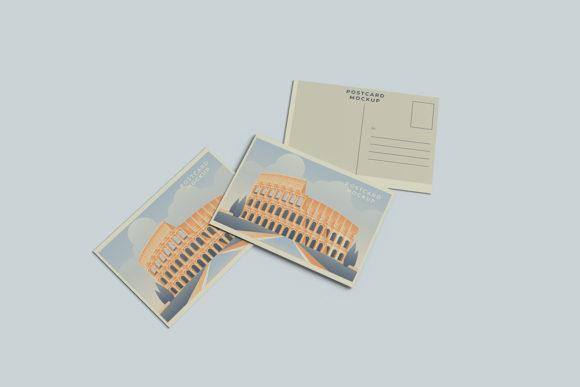
Mastering Professional Design Presentations with Minimalist Post Card Mockups
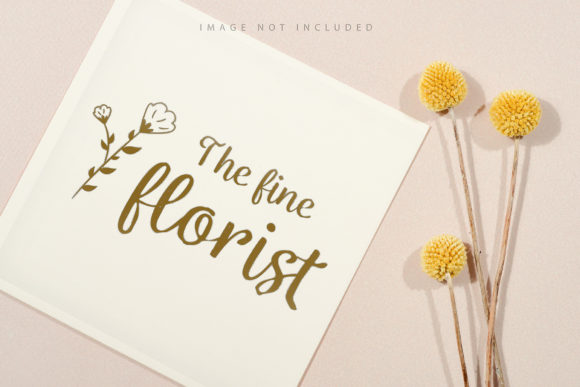
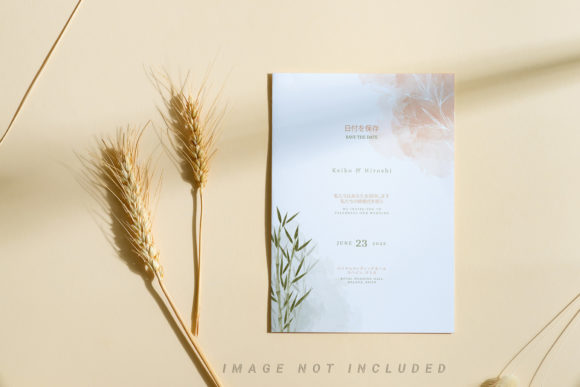
In the digital age, the quality of your design is only as good as how well you present it. Whether you are a freelance graphic designer pitching to a new client, a branding agency showcasing a portfolio, or a small business owner launching a new product line, first impressions matter immensely. This is where the concept of a Minimalist Post Card Mockup becomes an indispensable tool in your creative workflow. It bridges the gap between a flat digital file and a tangible, realistic representation of your work, allowing stakeholders to visualize the final product in a real-world context.
A mockup is essentially a pre-made template that allows designers to insert their own artwork into a realistic scene. Think of it as a digital frame for your art. By using a minimalist post card design, you strip away unnecessary visual clutter, ensuring that the focus remains entirely on your typography, imagery, and layout choices. This article explores why this specific type of mockup is crucial for professional presentations, how to utilize its features effectively, and why it stands out as a superior choice for modern design workflows.
The Power of Realism in Digital Showcases
Why do we need mockups at all? Why not just send the JPEG or PNG file directly? The answer lies in psychology and perception. When a client views a flat image on a screen, they struggle to gauge scale, texture, and material quality. A realistic 3D display solves this problem by simulating depth, lighting, and shadows. It transforms a two-dimensional graphic into a three-dimensional object that feels physical and substantial.
For a post card specifically, realism is key because post cards are tactile objects. They are meant to be held, folded, and mailed. A high-quality mockup captures the subtle creases of the paper, the slight gloss or matte finish, and the way light interacts with the surface. This level of detail builds trust. It signals to the viewer that you have thought about every aspect of the project, including production values. It moves the conversation from "Is this design good?" to "How will this look printed?" which is often the next logical step in the design process.
Efficiency Through Smart-Object Technology
One of the most significant advantages of using a PSD (Photoshop) format mockup is the integration of smart-object features. For those unfamiliar with Adobe Photoshop, a smart object is a container that holds image data from raster or vector images. In the context of a mockup, it acts as a placeholder for your design.
Traditionally, replacing a design in a complex layered file could take minutes of tedious work involving masking, warping, and blending modes. However, with smart objects, the process is streamlined to seconds. Here is how it works:
- Double-Click to Edit: You simply double-click the smart-object layer thumbnail in the layers panel.
- Open and Replace: This opens a new tab containing your artwork. You paste your design, save the file (Ctrl+S / Cmd+S), and close the tab.
- Automatic Update: The main mockup file instantly updates to reflect your changes, applying the necessary perspective and distortion automatically.
This feature is particularly valuable for professionals who need to create multiple variations of a design quickly. For instance, if you are designing a series of post cards for different holidays or product launches, you can swap out the artwork for each version without touching the underlying structure of the mockup. This efficiency allows you to focus more on creativity and less on technical execution.
Technical Specifications and Quality Standards
Not all mockups are created equal. When selecting a tool for professional use, technical specifications play a critical role in the final output quality. The mockup described here offers several key attributes that cater to high-end presentation needs.
High Resolution and Print Readiness
The file size of 3000x2000 pixels at 300 DPI (dots per inch) is a robust standard for both web and print purposes. 300 DPI is the industry standard for high-quality printing. This ensures that when you export your final presentation, the image remains crisp and sharp, even when zoomed in or printed as a large poster. For web use, this resolution provides excellent clarity on high-density displays (Retina screens), ensuring your designs look pristine on any device.
Customizable Backgrounds
A common limitation of many free or low-cost mockups is a fixed background that cannot be changed. However, this specific template includes a changeable background-color feature. This flexibility is essential for maintaining brand consistency. If you are presenting a design for a luxury brand with a black and gold palette, you can adjust the background to match. Conversely, for a clean, airy aesthetic, a white or soft pastel background might be more appropriate. Being able to control the environment around your post card allows you to tailor the mood of the presentation to suit the specific client or project vibe.
Accessibility and Ease of Use
While advanced software like Photoshop can seem intimidating to beginners, the usability of this mockup is designed to be intuitive. The inclusion of a PDF help guide is a thoughtful touch that lowers the barrier to entry. This guide typically walks users through the steps of opening the file, locating the smart objects, and exporting the final image. It serves as a quick reference that prevents frustration and ensures that even those with limited Photoshop experience can achieve professional results.
Furthermore, the minimalist nature of the post card design itself reduces cognitive load. Complex scenes with props, hands, or busy environments can sometimes distract from the actual design work. A minimalist approach ensures that the viewer’s eye is drawn immediately to the content of the post card. It is a subtle yet powerful design principle that says, "Let the work speak for itself."
Common Misconceptions About Mockups
There is a prevalent misunderstanding among some clients and junior designers that mockups are merely decorative. Some may argue, "It’s just a picture of a card; why does it matter?" This view overlooks the strategic value of context. A mockup provides scale. Without it, a client might not realize that a font size looks too small when printed on a standard 4x6 inch card. It also helps in identifying potential issues with contrast and readability in a simulated real-world lighting condition.
Another misconception is that stock photos used in previews are included in the purchase. It is important to note that photos used in the preview are not included; they are for illustration purposes only. This is a standard practice in the design asset industry. Buyers receive the editable PSD file and the necessary assets to create their own unique presentations, rather than relying on generic stock imagery that everyone else might be using. This uniqueness is vital for standing out in a crowded market.
Practical Applications in Modern Workflows
The utility of a minimalist post card mockup extends beyond simple graphic design projects. In today’s interconnected world, these templates find applications in various fields:
- Education: Teachers and students can use mockups to present final projects in graphic design, marketing, or communications courses. It teaches them the importance of presentation alongside creation.
- Small Business Marketing: Entrepreneurs planning direct mail campaigns can visualize their flyers or post cards before committing to expensive print runs. This saves money and reduces waste.
- Event Planning: Wedding planners or event coordinators can showcase invitation and post card designs to couples, helping them make informed decisions about stationery suites.
- Social Media Content: Designers can use these high-quality renders to create engaging social media posts that showcase their skills, attracting new clients through platforms like Instagram or Behance.
Conclusion
Incorporating a Minimalist Post Card Mockup into your design toolkit is more than just a technical upgrade; it is a strategic decision that elevates the perceived value of your work. By leveraging smart-object technology, high-resolution standards, and customizable backgrounds, you can present your designs in a way that is both realistic and professional. This tool empowers you to communicate your ideas clearly, reduce revision cycles, and build stronger relationships with clients by demonstrating attention to detail.
Whether you are a seasoned professional looking to streamline your workflow or a beginner eager to present your work with confidence, this PSD template offers the perfect balance of ease of use and high-quality output. Remember, in design, presentation is part of the product. By choosing a tool that prioritizes clarity and realism, you ensure that your creative vision is seen exactly as you intended. Start experimenting with your own designs in this realistic 3D display today, and watch how a simple change in presentation can transform the impact of your work.