Beer Can Mockup V3: A Practical Design Tool
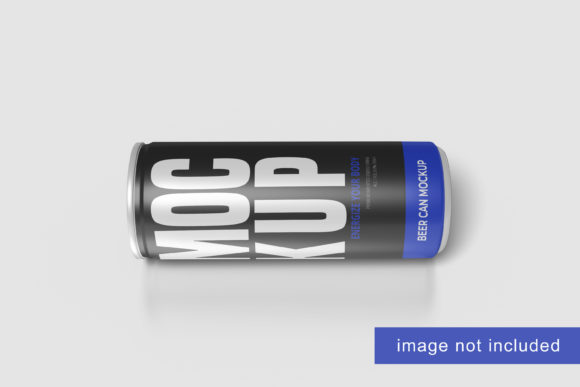
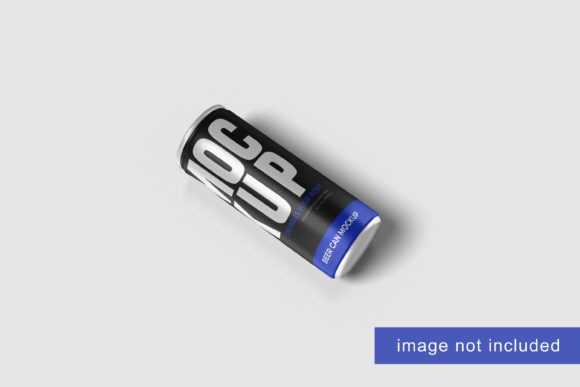
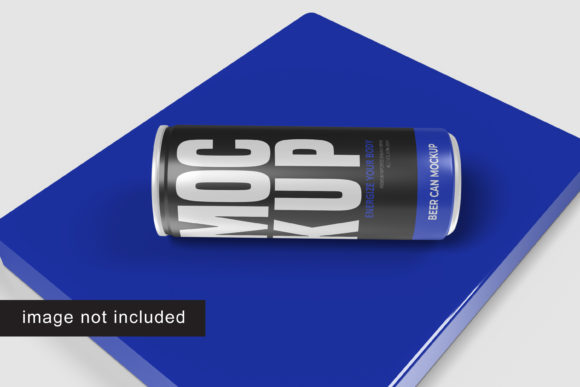
In the world of visual branding, the difference between a concept and a finished product often lies in presentation. For designers, marketers, and small business owners alike, showing a client or customer how a label looks on an actual can is crucial. This is where Beer Can Mockup V3 steps in as a practical solution. It is not just a static image; it is a dynamic tool designed to help you showcase your designs professionally in a realistic 3D display.
This resource is available in PSD Photoshop format, leveraging smart-object features that allow for rapid iteration. Whether you are a seasoned graphic designer looking to streamline your workflow or a hobbyist creating a custom label for a homebrew batch, understanding the utility of this mockup can significantly impact your project's outcome. The file offers a 3000x2000 px size at 300 dpi, ensuring high-resolution output suitable for both digital screens and print materials.
Understanding the Core Functionality
At its heart, Beer Can Mockup V3 is built around efficiency and realism. The primary mechanism behind its ease of use is the integration of Smart Objects within Adobe Photoshop. For those unfamiliar with the term, a Smart Object is a container that holds image data from raster or vector images. In the context of a mockup, this means you do not need to manually warp, mask, or distort your design to fit the curve of the can.
Instead, you simply double-click the Smart Object layer, paste your flat design, save it, and watch as the software automatically applies perspective, lighting, and shadows to match the can’s geometry. This process typically takes seconds, allowing you to test multiple color variations or logo iterations without starting over. The inclusion of a PDF help guide further simplifies this process, making it accessible even to those who may not be experts in advanced Photoshop techniques.
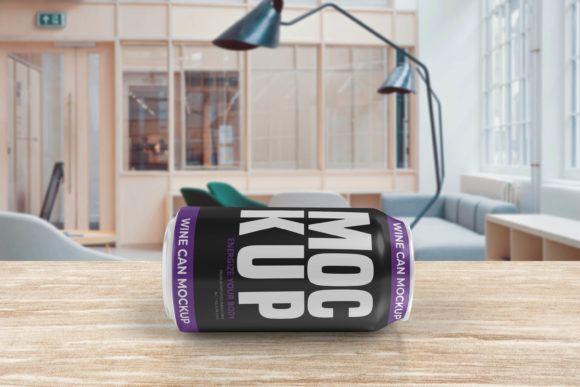
The ability to change the background color is another significant feature. This flexibility allows you to place your beer can design against various backdrops—clean white for e-commerce listings, vibrant gradients for social media ads, or textured surfaces for lifestyle imagery. This versatility ensures that the mockup serves a wide range of marketing needs.
Why Different Audiences Care About Presentation
The value of a high-quality mockup extends beyond simple aesthetics; it addresses specific pain points for different groups of people involved in the creative and commercial processes.
For Beginners and Hobbyists
If you are new to design or working on a personal project, such as labeling a homemade brew for a gift, complexity can be a barrier. Beer Can Mockup V3 lowers this barrier by removing the technical hurdles of 3D rendering. You do not need to learn complex modeling software. The provided PDF guide acts as a mentor, walking you through the steps. For this audience, the priority is ease of use and the ability to see a professional result quickly, validating their creativity without requiring extensive training.
For Freelancers and Small Business Owners
For entrepreneurs launching a craft beer brand, first impressions are everything. When pitching to distributors or listing products on online marketplaces, low-quality visuals can undermine perceived value. Using a realistic 3D display helps bridge the gap between a rough sketch and a market-ready product. The high resolution (300 dpi) ensures that logos and text remain crisp, which is essential for building trust with potential customers. Here, the priority shifts to quality and commercial value.
For Professional Designers and Agencies
Professionals operate under tight deadlines. Time is money. The ability to replace designs within seconds using Smart Objects translates directly into billable hours saved. Furthermore, the option to change background colors allows for the creation of diverse marketing assets from a single source file. Instead of creating separate mockups for Instagram, Facebook, and email newsletters, a designer can generate all variations from one PSD file. For this group, speed, reliability, and flexibility are the key drivers.
For Educators and Content Creators
Bloggers and educators focusing on design tutorials benefit from the clear structure of this mockup. It serves as an excellent teaching aid to demonstrate the power of Smart Objects. By showing students how a flat image transforms into a 3D object, instructors can explain concepts of perspective and lighting in a tangible way. The educational value lies in the transparency of the process; users can inspect the layers and understand the mechanics behind professional-looking presentations.
Evaluating Priorities: Quality vs. Convenience
When selecting a mockup tool, individuals often weigh different factors based on their immediate goals. Let’s look at how these priorities play out with Beer Can Mockup V3.
- Resolution and Clarity: With dimensions of 3000x2000 pixels, the mockup provides ample detail. This is critical for zoom-in shots where texture and edge quality matter. Lower-resolution mockups can appear pixelated when enlarged, damaging the professionalism of the design.
- Adaptability: Not every project requires a plain background. Some campaigns demand a moody, atmospheric setting. While this mockup focuses on a clean base, the changeable background-color feature allows for basic customization. However, users seeking highly intricate environmental scenes might need to composite this mockup into other photos, which requires additional skill.
- Learning Curve: The inclusion of a help guide is a thoughtful touch. It acknowledges that not all users have the same level of expertise. For beginners, this reduces frustration. For experts, it serves as a quick reference, ensuring they don’t miss any subtle layer adjustments.
Practical Applications in Modern Marketing
The application of Beer Can Mockup V3 goes beyond static product images. In the age of digital-first marketing, dynamic content is king. Consider a scenario where a brewery wants to launch a seasonal ale. They have three different label designs. Using this mockup, the marketing team can create three distinct social media posts simultaneously. Each post features the same can angle but with a different label and potentially a different background color to match the flavor profile—perhaps a warm tone for an amber ale and a cool tone for a lager.
This consistency in presentation style builds brand recognition, while the variety keeps the content fresh. For bloggers reviewing craft beers, having access to such mockups allows them to create visually appealing graphics for their articles, even if they haven’t received a physical sample yet. It enhances the reader experience and makes the written content more engaging.
Is It the Right Fit for You?
Determining whether Beer Can Mockup V3 matches your needs depends on your current workflow and technical comfort level. If you frequently struggle with warping images manually, this tool will likely feel like a revelation. The time saved on repetitive tasks can be redirected toward creative exploration.
However, if you require extreme photorealism with complex lighting interactions that go beyond standard Smart Object capabilities, you might find this mockup too simplistic. It is best suited for clean, straightforward presentations where clarity and speed are prioritized over hyper-realistic environmental blending.
Ultimately, the decision comes down to efficiency and output quality. For most creators, from the casual hobbyist to the busy professional, the balance offered by Beer Can Mockup V3—high resolution, easy editing, and professional results—makes it a valuable asset in their design toolkit. It empowers users to present their ideas with confidence, ensuring that the focus remains on the design itself rather than the technical challenges of displaying it.